- FEATURES
- 54 IN THE BETA
Everything Pego can do.
The agent, the canvas and the file format, one feature at a time. Search for what you need, and ask for it if it is not here yet.
AI agent
Your own CLI agent designs on the canvas while you watch and steer.
Bring your own agent
Claude Code, Codex, opencode, Qwen Code, Gemini CLI and Cursor Agent run on the login you already have.

API key mode
Use an Anthropic key instead of a CLI. The key stays in your browser; Opus plans and Sonnet builds.
Custom providers
Add your own model providers next to the built-in ones.
Parallel agents
Up to three agents at once, each with its own cursor and color. Layers one agent claims are protected from the others.

Plans and steering
See the plan, answer "Needs your decision" cards, and send a message into a running agent with Cmd+Enter.

Mentions and attachments
Point at layers with @, call skills with /, and attach images to your prompt.
Agent on canvas
A live cursor, a focus box and a shimmer show where the agent works. The camera follows new screens.

One-step undo
Every agent step is one undo step, and Undo all reverts a whole run.

Ask Pego and Pego Magic
Ask about a selection, or get one-click ideas for a new layout, style, palette or type.

Design skills →
39 skills for landing pages, web and mobile apps, dashboards, slides, social posts and brand identity.
Style presets →
21 named looks such as quiet-ink, swiss-grid, newsprint and nordic-calm.

Self-checking design
Polish rules and a layout check catch uneven corners, thin icons and lopsided padding.
MCP and terminal
Drive Pego from Claude Code, Codex, Cursor or any MCP client.

MCP server
One command adds Pego to Claude Code, Cursor or Claude Desktop, and edits show up live.

40 agent tools
Read, edit, components, pages, connectors, images, export and planning, all callable by the agent.
Projects by name
Agents open or create a project by name, or edit one in a background tab.
Copy for AI
Cmd+Shift+C puts a reference to the selected layers on the clipboard for your agent.

Local-only bridge
The bridge listens on 127.0.0.1 and accepts localhost only. The extension pairs with a code.
Canvas and editing
A full vector canvas for the parts you want to do by hand.

Drawing tools
Frame, rectangle, ellipse, line, arrow, polygon, star, text and image.

Pen and pencil
Bezier paths with point editing, plus freehand drawing.

Smart clipboard
Paste SVG, text, images and image links. Paste here, paste to replace, or drop files.

Copy as code
Copy a selection as SVG, PNG, React + Tailwind, HTML/CSS or JSON.
Wireflow connectors
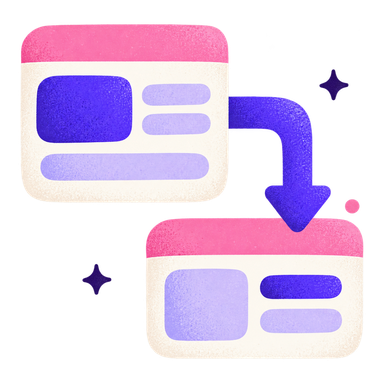
Elbow, straight or curved lines that follow their layers, with labels and arrow markers.
Arrange and tidy
Group, frame a selection, flip, reorder, tidy up and clip content.
Design properties
Layout, color, type and motion, all editable after the agent is done.
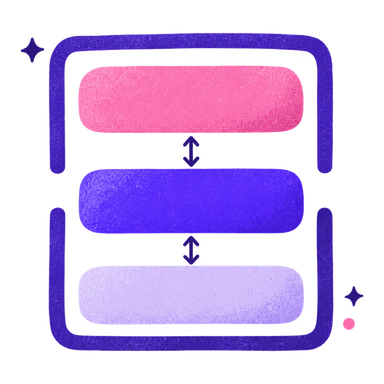
Auto layout
Direction, gap, padding, alignment, and fill or hug sizing.

Fills and gradients
Solid, linear and radial gradients, and image fills with cover, contain or stretch.
Strokes and effects
Caps, joins and arrow markers. Drop shadow, inner shadow and layer blur.

Typography
Sans, Serif, Display, Handwriting and Mono fonts, with weight, line height and letter spacing.

Lucide icons
Place any Lucide icon by name.

Animated shaders
Aurora, gradient flow, waves, film grain and shimmer fills, or your own shader code.

Entrance motion
Fade, slide, grow, scale and pop, with easing, delay, count-up numbers and one-by-one sequencing.
Components
Reusable parts and tokens that keep a design consistent.
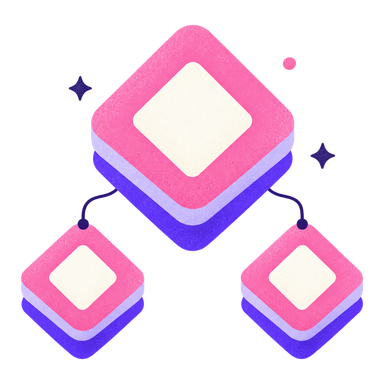
Components and instances
Create components, use instances with overrides, detach, or jump to the main component.

Slots
Component slots with recommended components to drop in.

Variables and tokens
Bind colors, fonts and numbers to variables, set by the agent or in the file.
No variable editor in the UI yet.

Libraries
Reuse components and variables from your other projects.
Assets panel
Search your components and drag them onto the canvas.
Import
Start from what already exists instead of a blank page.

Import from Figma
Paste a frame or file link with a token. Auto layout, text, fills, effects, vectors and images come in editable.

Import Pencil files
Open .pen files and get a list of what was converted or changed.

Website to layers
Pick an element in the built-in browser and it becomes layers. Flex turns into auto layout, fonts and images carry over.

Chrome extension
Send a page, an element or a screenshot to the canvas.
Loaded unpacked for now.
Images
Find, generate and clean up images without leaving the canvas.

Photo search
Openly licensed photos in the Assets panel, linked rather than embedded, with credit kept.

AI image generation
Bring your own Gemini or OpenAI key and pick from five aspect shapes.

Background removal
Cut out a subject in standard or high-quality mode.
Export
Hand off pixels, code or the whole project.

Image export
PNG at 1x, 2x or 3x up to 4096 px, and SVG.

Code export
React + Tailwind v4 or HTML/CSS, with a preview and copy code. One component per layer.

Motion in code
Animations export as CSS keyframes and shaders as a small WebGL runtime.

Whole-project export
Export the .pego file, or a zip of PNG, SVG, HTML or React for every screen.
The .pego file
Plain JSON that lives in your repo, next to your code.

Plain JSON
A .pego file is readable JSON that diffs cleanly in git.

Local-first autosave
Saves to the file, keeps a browser copy for offline work, and guards unsaved changes.

Upgrade-safe files
Older files upgrade on open. Files from a newer version are refused instead of damaged.

Projects and Home
Projects live in design/<project>/ in your repo, with search, trash and multi-tab editing.
App and platforms
Desktop on every OS, or the web app in Chromium browsers.

Desktop app
macOS, Windows and Linux, with the bridge and a browser built in.
Windows and Linux builds are unsigned during the beta.

Update channels
Stable, Beta and Nightly. macOS updates itself.

Web app
Runs in Chromium browsers at app.pego.ink. Other browsers fall back to download and upload.
Flexible interface
Docked or floating panels, a toolbar at any edge, and light, dark or system themes.
Nothing matches “” yet.
Pego might not do it yet. Tell us what you need and we will look at it.
Request this featureREQUEST A FEATURE
Missing something? Ask for it.
Requests go to the public issue tracker on GitHub, where you can follow the reply and upvote what others asked for.